For my daily art yesterday, i really wanted a dither pattern that looks like stars.
Unfortunately I could not find such a thing. So I made one.
For my daily art yesterday, i really wanted a dither pattern that looks like stars.
Unfortunately I could not find such a thing. So I made one.

How does a dither work?
A dither is essentially a map from every colour to black or white, this is done by adding the source colour and the dither pattern together, and then forcing each pixel to either be black or white. (Coloured dithers are created by doing this to each channel, Red, Green, and Blue)
As such, this pattern is actually a bunch of pixels that add up so that they max out in a certain order.
Take the 2x2 General dither pattern:

It is simply four shades of gray, equally spaced from black to white.
The top left corner of the pattern will be the first to turn white, as it is the closest to white. then the bottom right, then the top right, and finally the bottom left. It creates a gradient like so:
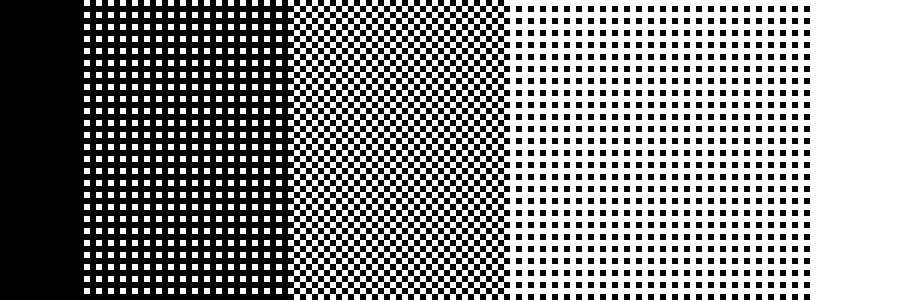
It can be thought of as several combining layers, with each layer being combined with all the previous ones to produce the desired pixel.

Black here indicates transparency
Making the dither:
The method i have worked out is that, starting with a black background layer, for each stage of your dither you want, you create a layer with each pixel of the pattern filled in white.
You then need to calculate the opacity to set each layer to, I have found the best calculation is 100 divided by the number of layers, minus 1%. so (100/4)-1 is 24% in this case. Then setting each layer to that opacity level, with a black background at full